 Family-Detox
This extension identifies content containing harassment and/or cyberbullying text and depending on the configured policy either hides the content entirely or flags it for user awareness.


Chrome / Brave
Download the Detox archive and unzip it. Open Chrome/Brave, navigate to chrome://extensions/ (or brave://extensions/) and enable developer mode. Click "Load unpacked" and select the unpacked archive.
Firefox
Click the Firefox link above and it should add the extension directly to Firefox.
How to Test
After the installation you can try one of these options for testing:
- Our own tests Web page,
- Any Reddit, Twitter (here's an "example" of what to expect) or Youtube page where the extension has already been tested with,
- Other random Web page at your own risk :)
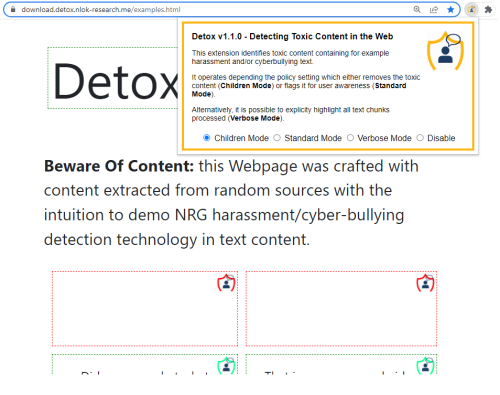
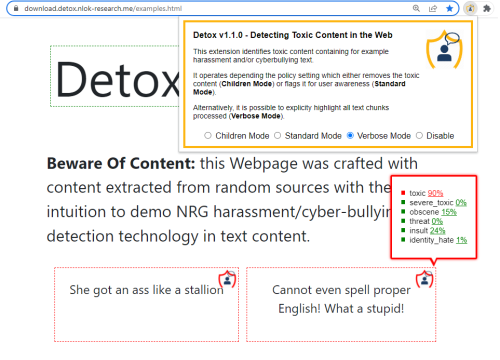
How it Works: Children Mode Vs Standard Mode
The Extension is triggered automatically every time a Website is visited and every time its content gets an update. Users can however decide upon what happens to the processed content by changing the policy setting.
Check the two examples:
FAQ
Q1: Extension is breaking a specific Website?
A1: This should not happen frequently, however the Disable feature can turn off Detox for a given Website.
Q2: Where can I see collected data highlights?
A2: Toxic highlights are available through the Family-Detox Mobile and Web Apps.
Q3: Who can I contact if I have questions about the extension?
A3: If you have any questions you can email David.Silva@gendigital.com